Fed up with bloated or paid Markdown viewers, I built my own: native, 9 MB, free and open source, with AI, in one afternoon
The Markdown viewers I kept finding for the Mac were bloated, paywalled or subscription-based, and mediocre. I built MdViewer: a native, read-only Markdown viewer for macOS, 9.1 MB, free and open source. I built it in one afternoon, pairing with Claude Code.
I read Markdown all day. READMEs, specs, notes, project docs. And every time I just wanted to open a .md file on my Mac and read it properly rendered, I ended up in the same place: bloated apps, paywalls or subscriptions for something as trivial as showing a formatted text file, and mediocre on top of that. In my opinion, crap.
I wasn't asking for an editor. I wasn't asking for cloud sync or an AI that summarizes my README. I wanted a viewer. One that opens fast, looks good and doesn't bill me every month.
So I built my own: MdViewer. Native, 9.1 MB installed, free and open source. And I built it in one afternoon, pairing with AI.
What it does
It's a read-only Markdown viewer for macOS 15 and later, universal (Apple silicon and Intel). What you get:
- GitHub-flavored rendering: tables, task lists, strikethrough and syntax highlighting.
- Outline sidebar with scroll-spy, to jump around long documents.
- Live reload when the file changes, including editors like vim or VS Code that save atomically. And it keeps your scroll position.
- Find with ⌘F.
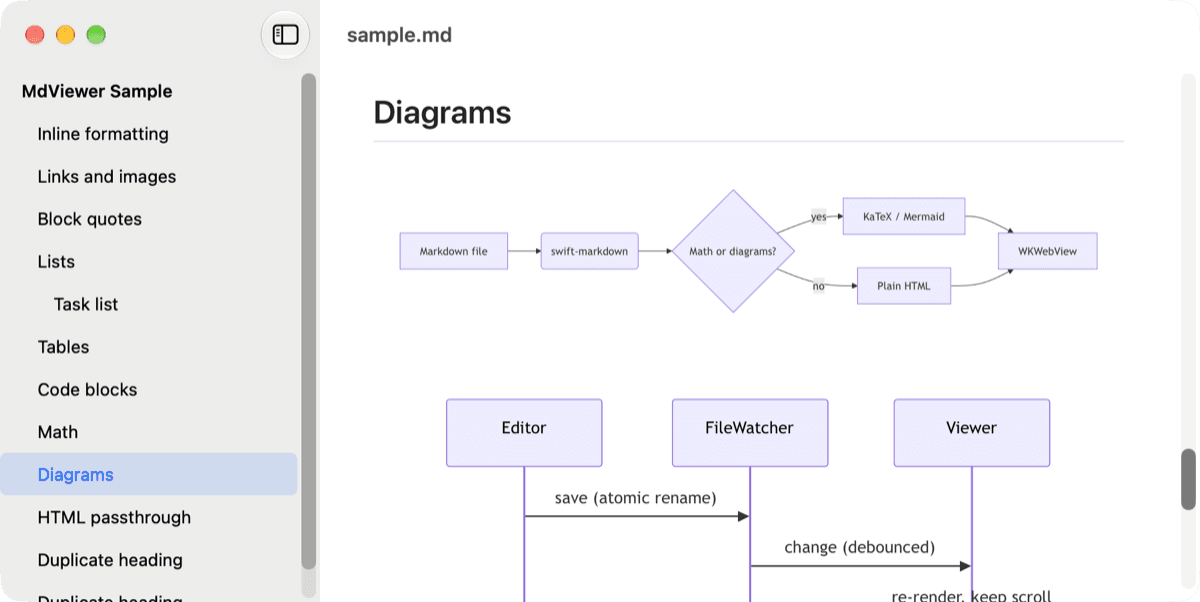
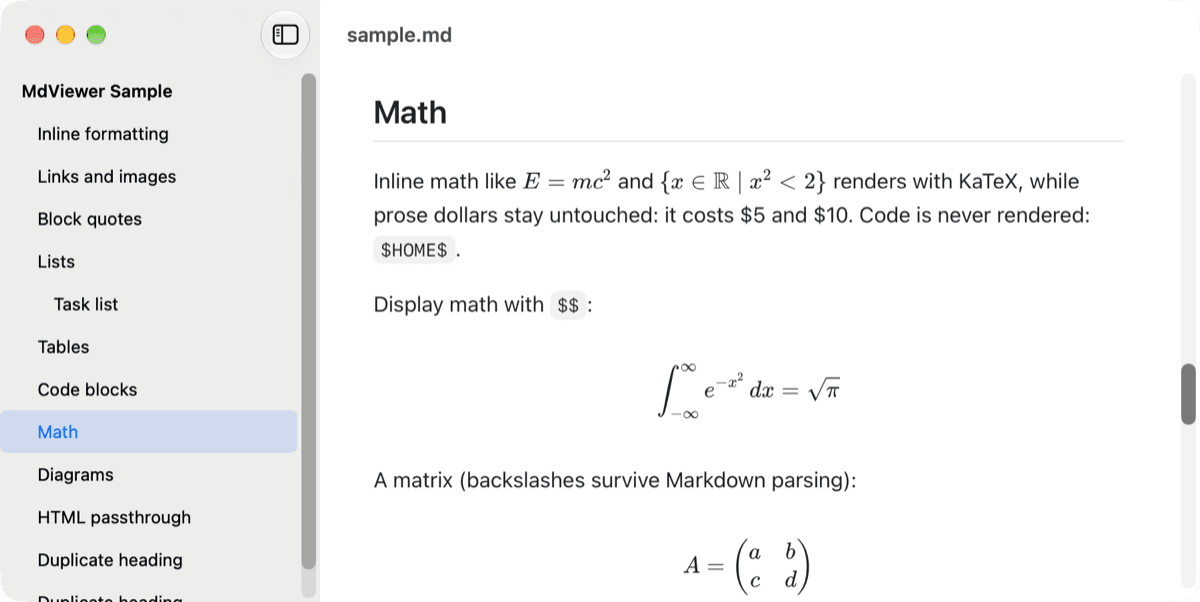
- KaTeX math and Mermaid diagrams.
- 4 themes (GitHub, Sepia, Academic and High Contrast), in light and dark.
- Zoom, PDF export and printing.
- Quick Look extension: press Space in Finder and you get the rendered preview, math and diagrams included.
- Works fully offline. Everything is bundled inside the app.
How I built it with AI
The whole thing came together in a single afternoon, working with Claude Code. But it wasn't "write a prompt, get an app". The workflow was a lot more structured than that.
First, the AI researched the options and proposed a plan in four phases:
- MVP: open a file and render it well.
- Reading comfort: outline, live reload and find.
- Rich content: PDF, math, diagrams and themes.
- macOS integration: Quick Look and the release.
I made the decisions; the AI implemented each phase. For example, for rendering it laid out three different approaches, with their pros and cons, and I picked one. That split works: the AI is great at exploring the solution space, but the product direction needs an owner.
What surprised me most was the verification. At the end of each phase, the AI ran the build, ran the tests and took screenshots of the running app to check that what it said worked actually worked. It even generated the app icon programmatically, with a CoreGraphics script.
Where I still had to step in: some UI interactions had to be tested by hand, because not everything can be validated with a screenshot. And some things don't depend on code at all: the app isn't notarized, because that requires a paid Apple Developer account.
My takeaway is the same as always: AI speeds things up enormously, but deciding what to build and owning the result is still my job.
The technical bit, briefly
- Swift 6.4 with strict concurrency, SwiftUI (
DocumentGroupandNavigationSplitView) and swift-markdown with a custom visitor that produces the HTML. - Hexagonal architecture (Domain, Application, Ports, Adapters and UI), with container/presentational views. A shared framework,
MdViewerCore, is used by both the app and the Quick Look extension. - 57 tests with Swift Testing, and the project is generated with XcodeGen.
The decision I cared about most: WebKit only renders the document. WKWebView draws the Markdown content, and everything else (windows, sidebar, menus, themes) is native SwiftUI. That way the app feels like a Mac app, not a website stuffed into a window.
And one gotcha worth knowing if you ever build a Quick Look extension: inside its sandbox, WKWebView renders blank unless the extension has the com.apple.security.network.client entitlement. Even though all the content is local, WebKit still needs it. Without it, the preview comes out empty.
How to install it
It's not on the Mac App Store: it's distributed through GitHub Releases.
- Download the
.zipfrom the v0.1.0 release. - Move
MdViewer.appto/Applications. - Since it isn't notarized, remove the quarantine flag from the terminal:
xattr -dr com.apple.quarantine /Applications/MdViewer.app
That's it. Open any .md file, or press Space on one in Finder.
Links
- Repo: github.com/unaivv/mdViewer
- Release: v0.1.0
If you're also tired of paying to read a README, give it a try. And if you find a bug or miss something, issues are open.